
Cabin Chaos Tips and Tricks
Practical beta habits that keep 24-player flights flying when the cabin turns into comedy.
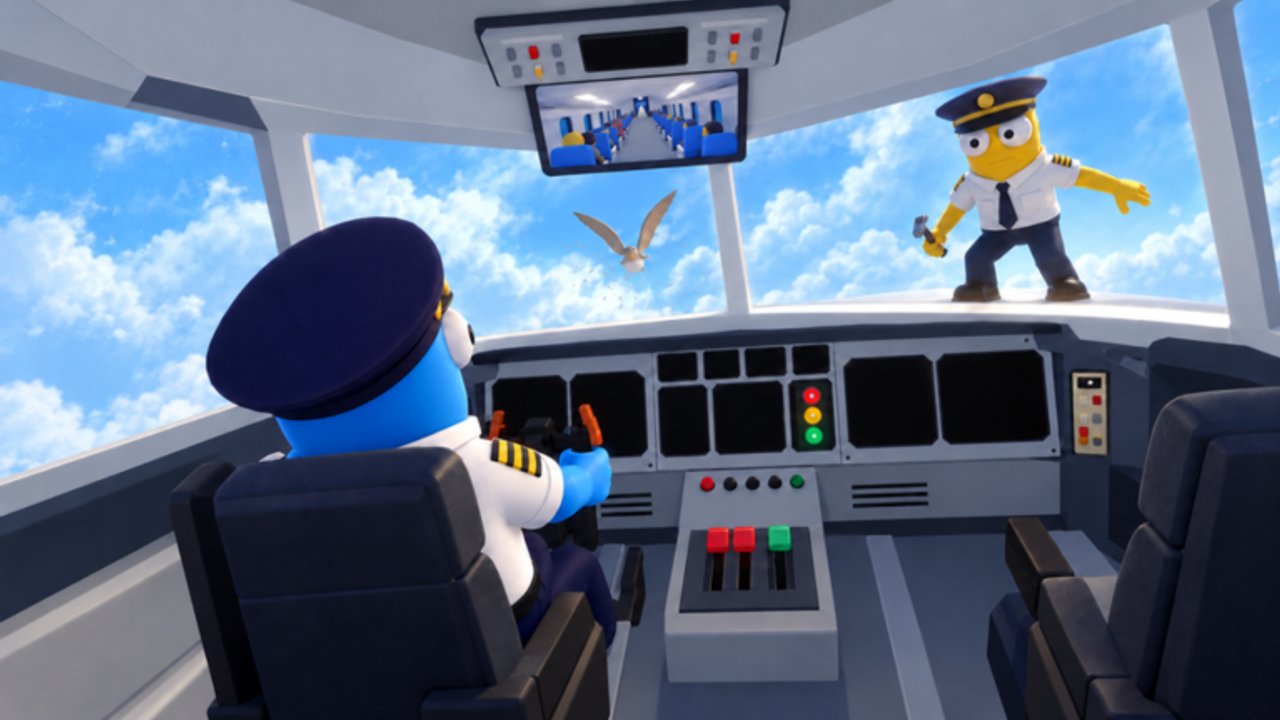
Cabin Chaos rewards crews who communicate faster than the physics can humiliate them. This tips page collects high-leverage habits for FriendSlop Interactive’s Roblox co-op airline cabin sim while it sits in beta (live title often branded [XMAS + CHAOS] during seasonal cosmetics). Use it after you skim Getting Started and Controls.
None of these tips replace the full loop in How to Complete a Flight. They make that loop survive messy humans.
Callouts beat hero plays
In a server that can hit 24 players, silent aisles fail. Speak early:
- “Fuel still empty” before anyone boards for vibes
- “Cargo door open” when someone rushes takeoff
- “Nervous flyer row 8” so calm duty is claimed
- “Seat thief mid-cabin” before the seating chart dissolves
- “Toilet lock-in” with a seat letter if you can see it
- “Repair on me” so five people do not path to the same panel
Private lobbies can assign a rotating cabin lead. Quick Play crews should still shout the unfinished gate even if nobody answers politely.
Own one lane, then flex
Specialize for the first clean landing of a session:
| Lane | Focus pages |
|---|---|
| Prep | Check-in, cargo, fuel — Complete a Flight |
| Cabin | Meals, calm, thieves, toilets — Passenger Service |
| Crisis | Mid-air failures — Mid-Flight Events |
| Side | Desert mine / glacier wreck — Island Side Quests |
Once the plane is stable, rotate lanes so everyone learns. Cabin Chaos is a party game with chores; flexible crews outlast one-trick specialists when a prompt bugs out in beta.
Ragdoll is a tool, not a personality
The R ragdoll key is famous for a reason. Tips:
- Practice standing up immediately after a voluntary R so landings do not softlock you.
- Never ragdoll-block the galley during meal rushes.
- Use ragdoll to recover from slap fights, then return to the cart — comedy without abandoning service.
- If a teammate griefs with endless R, move tasks around them rather than stacking more chaos on the same tile.
Full button context lives on Controls.
Aisle traffic rules that save FPS and flights
- Do not park eight avatars on one beverage cart.
- Leave a walking lane through the cabin even when everyone wants screenshots of new [XMAS + CHAOS] skins.
- Send one runner for repairs; the rest keep serving.
- On mobile or low graphics, lower Roblox quality during peak chaos instead of quitting mid-route.
Wing Bucks habits that avoid regret
Currency is Wing Bucks. Ranks climb from Cadet toward Sky Legend. Tips that pair with Wing Bucks and Ranks:
- Bank a reserve before seasonal cosmetic panic.
- Finish one clean flight after a skins-branded update before opening the shop.
- Prefer readable outfits your friends can spot in a crowded aisle — see also Unlock Skins and Skins & Emotes.
- Ignore “free Wing Bucks” script pastes — none are verified; read Scripts.
Promo codes remain unconfirmed as of November 2026 research. Bookmark Codes instead of buying fake lists.
Chaos triage order
When everything breaks at once, triage like this:
- Keep the aircraft able to continue (fuel/cargo/critical repairs).
- Stop cascading passenger meltdowns (calm + seat thieves).
- Clear toilets and meal debt.
- Only then chase island treasure or emote parties.
The Crew Tasks Tier List and Crew Checklist encode the same priority in checklist form.
Friend lobby micro-habits
Playing with friends? Pair this page with Play with Friends:
- Ready-check before pushback.
- One person owns the pre-flight checklist out loud.
- Swap cabin lead every two flights.
- Screenshot funny failures, then immediately reassign roles so the joke does not become a wipe.
Beta-specific survival tips
Cabin Chaos is still early access. Expect unfinished UI, sticky prompts, and shop tweaks — especially around seasonal XMAS branding tracked on XMAS + Chaos Update and Beta Status.
- Softlock? Rejoin once before blaming a teammate.
- Prompt missing? Try the interaction from another angle or ask a friend to trigger it.
- Economy feels weird after a patch? Recheck payouts for a flight before spending.
What not to do
- Do not steal every task from Cadets who are learning.
- Do not spam emotes on repair tiles.
- Do not paste executors “to fix” beta bugs (Executor Safety).
- Do not confuse Cabin Crew Simulator codes with Cabin Chaos — different game, different currency.
Quick reference
| Situation | Move |
|---|---|
| First hour | Getting Started |
| Buttons / R | Controls |
| Full loop | Complete a Flight |
| Cabin chaos | Passenger Service |
| Altitude failures | Mid-Flight Events |
| Treasure | Island Side Quests |
| Cosmetics | Unlock Skins |
| Patches | Updates Hub |
Fly loud, spend calm, and treat every ragdoll pile as practice for the next clean landing.
Frequently Asked Questions
Quick answers for Cabin Chaos crews on Roblox.
What is the single best tip for new Cabin Chaos crews?
Call out unfinished jobs early — fuel, cargo, calm flyers, thieves, toilets, and repairs — so 24-player silence does not sink the flight.
Should I ragdoll for fun constantly?
Use R to recover and joke, then return to tasks. Blocking galleys with endless ragdolls fails the loop.
How should I spend Wing Bucks during XMAS cosmetics?
Keep a reserve, finish a clean flight after the update, then buy readable skins. See Unlock Skins and Skins & Emotes.
Do Cabin Crew Simulator codes work here?
No. Those belong to a different Roblox game. Cabin Chaos had no confirmed promo codes in November 2026 research.
Where do friends lobbies fit in?
Use Play with Friends for lobby habits, then return here for in-flight triage and callout discipline.